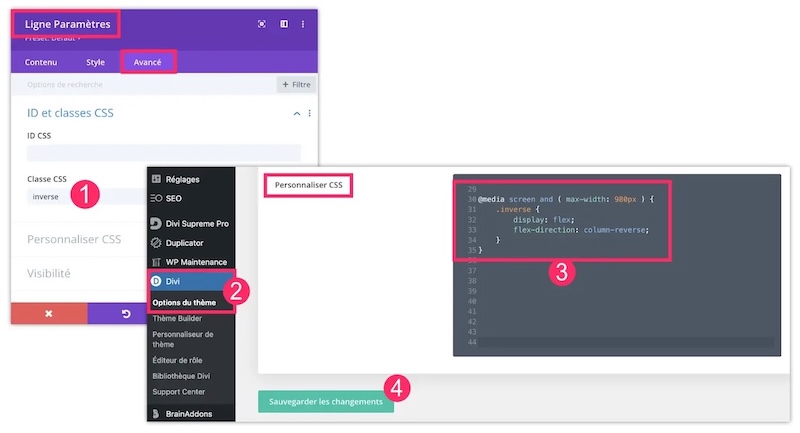
Reverse Divi column direction in mobile version
- First, open the settings of the (green) line that contains the columns to be reversed in a mobile version. Go to tab Advanced and add a CSS class named reverse (This is an example, you can name it as you wish).
- Then you go to the tab Divi > Theme Options > Customize CSS
- You add the following code:
@media screen and ( max-width: 980px ) { .inverse { display: flex; flex-direction: column-reverse; } } - Save your changes.